How to Lock Your iPhone if Your Power Button Is Broken
Once you're at the Settings, Go to General.
In General tab, look for the Accessibility tab. Towards the bottom.
Scroll down to the bottom to find the Physical & Motoer section.
In the Physical & Motor Section click on AssistiveToch tab.
Turn the Assistive Touch on. Then a small transparent square with white circle in the middle with appear in the top right corner of your screen.
CKlattice 發表在 痞客邦 留言(0) 人氣(11)
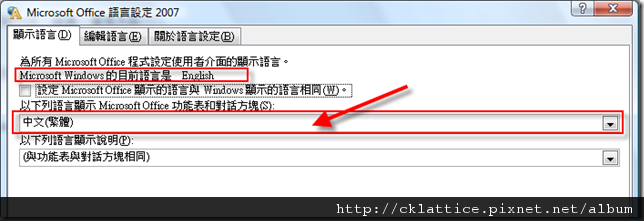
主要是因為OS與Office語系的問題。 解決方法:
開始->All Programs->Microsoft Office-> Microsoft Office 工具-> Microsoft Office 語言工具設定
CKlattice 發表在 痞客邦 留言(0) 人氣(2,819)
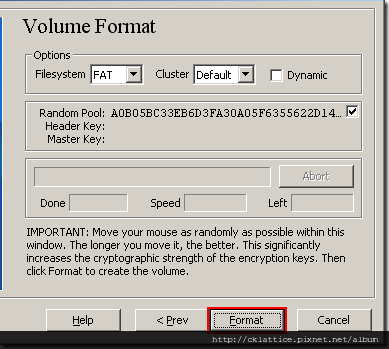 Step 11:
 Move your mouse as randomly as possible within the Volume Creation Wizard window at least for 30 seconds. The longer you move the mouse, the better. This significantly increases the cryptographic strength of the encryption keys (which increases security). Click
Format. Volume creation should begin. TrueCrypt will now create a file called
My Volume in the folder
D:\My Documents\ (as we specified in Step 6). This file will be a TrueCrypt container (it will contain the encrypted TrueCrypt volume). Depending on the size of the volume, the volume creation may take a long time. After it finishes, the following dialog box will appear:
CKlattice 發表在 痞客邦 留言(0) 人氣(16)
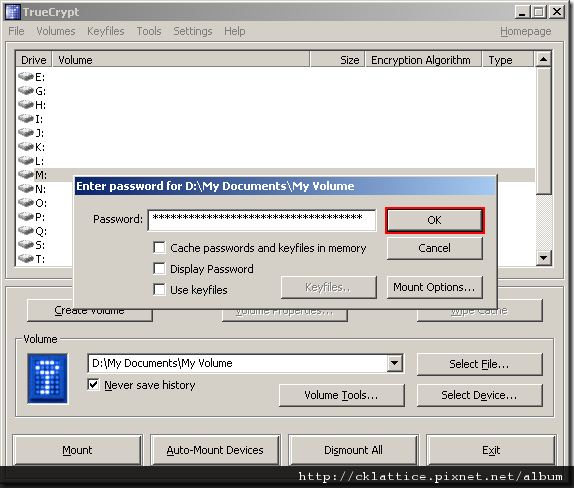 Step 18:
 Click
OK in the password prompt window. TrueCrypt will now attempt to mount the volume. If the password is incorrect (for example, if you typed it incorrectly), TrueCrypt will notify you and you will need to repeat the previous step (type the password again and click OK). If the password is correct, the volume will be mounted.
CKlattice 發表在 痞客邦 留言(0) 人氣(24)
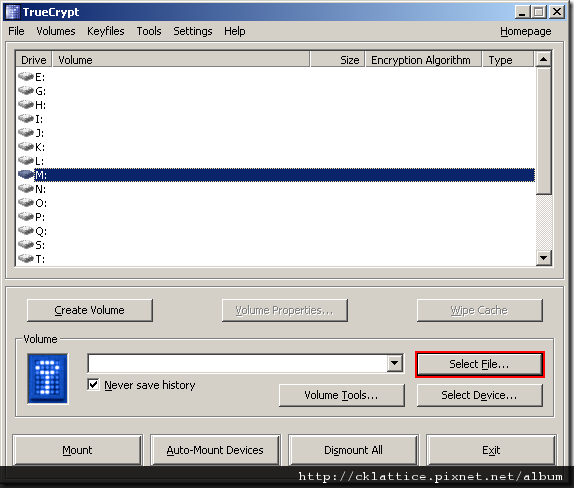 Step 14:
 Click
Select File. The standard file selector window should appear.
CKlattice 發表在 痞客邦 留言(0) 人氣(9)
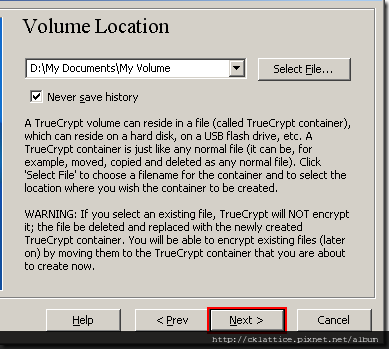 Step 7:
 In the Volume Creation Wizard window, click
Next.
Step 8:CKlattice 發表在 痞客邦 留言(0) 人氣(4)
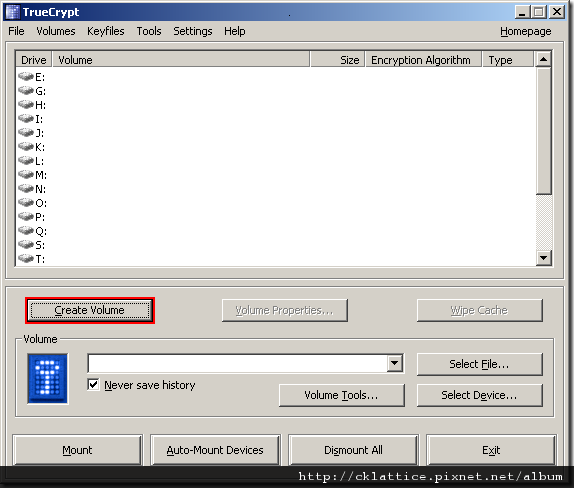 Step 1:
 If you have not done so, download and install TrueCrypt. Then launch TrueCrypt by double-clicking the file
TrueCrypt.exe or by clicking the TrueCrypt shortcut in your Windows Start menu.
Step 2: The main TrueCrypt window should appear. Click
Create Volume (marked with a red rectangle for clarity).
CKlattice 發表在 痞客邦 留言(0) 人氣(31)
Apple keyboard 一樣能應用 Windows XP, Windows Vista 和 Windows 7 上!
只是某些在 Window 上可用的 function key 都套用不了。 目前我只能找到最簡約的程式,使 apple keyboard 上的 F key 用套用 Window 的的function key. 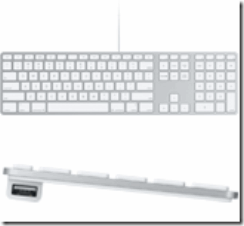 安裝登錄檔後重開電腦:
F13 will become INSERT
F14 will become Windows Context Menu scancode
F15 will become PRINT SCREEN
F19 will become MUTE toggle scancode
Download Now > CKlattice 發表在 痞客邦 留言(1) 人氣(330)
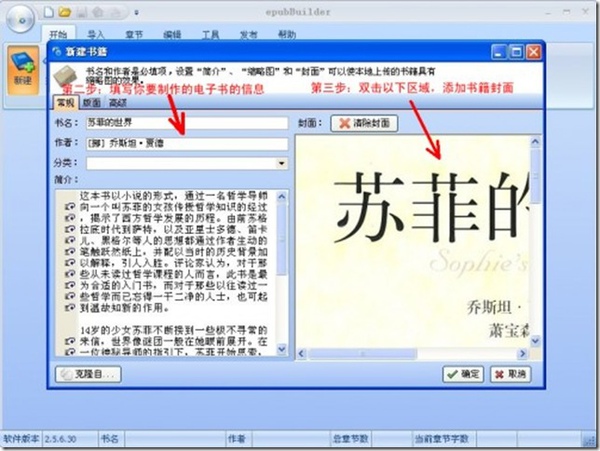
在PC上安裝好epubBuilder,打開軟體,如圖。(圖片文字說明看不清楚的請點擊圖片看大圖。)

CKlattice 發表在 痞客邦 留言(0) 人氣(119)
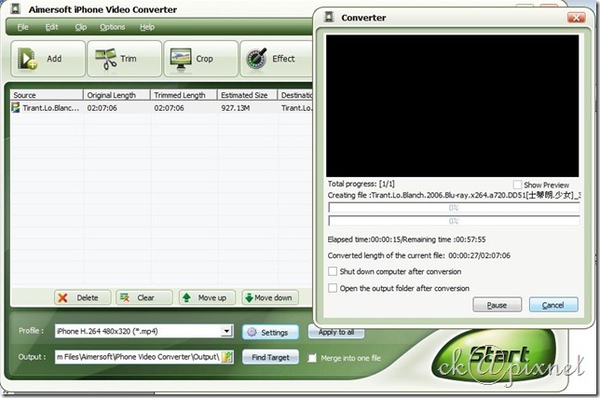
Aimersoft公司出品的這款iPhone Video Converter視頻轉換工具能將音頻、視頻檔轉換為iPhone/iPod/AppleTV所支援的格式,功能十分強大,可以將AVI、MPEG、WMV、FLV、MOV、MP4、VOB、XviD、WMA、ASF、3GP、MP3格式的檔轉換為iPhone使用的MP4、M4A、MP3等格式,同時還支持批量轉換。軟體還提供了一系列的視頻編輯功能,例如:隨意調整尺寸大小;視頻剪輯;亮度、對比度、飽和度以及特效調整等。視頻設置選項也十分豐富,可調整解析度、比特率、幀數、高寬比,當然,你也可以使用默認設置,軟體介面很漂亮,使用也非常簡單,推薦大家使用。
CKlattice 發表在 痞客邦 留言(0) 人氣(53)


